Many people get confused by landscape and portrait because both words are used when talking about photos, videos, screens, documents, and paper sizes.
You may hear someone say, “Turn your phone to landscape mode,” while another person says, “Upload the picture in portrait format.” For beginners, these terms can sound complicated.
The good news is that the difference is actually very simple.
Once you understand whether the image is wider or taller, you can easily tell the difference between landscape and portrait.
Quick Answer
Landscape
- Wider than it is tall
- Horizontal orientation
- Looks like a wide view of scenery
- Common for computer screens, TVs, and presentations
Portrait
- Taller than it is wide
- Vertical orientation
- Often used for photos of people
- Common for phone photos, social media stories, and documents
Easy Memory Tip
- Landscape = Wide
- Portrait = Tall
Where Do These Terms Come From?
The words have simple origins.
Landscape
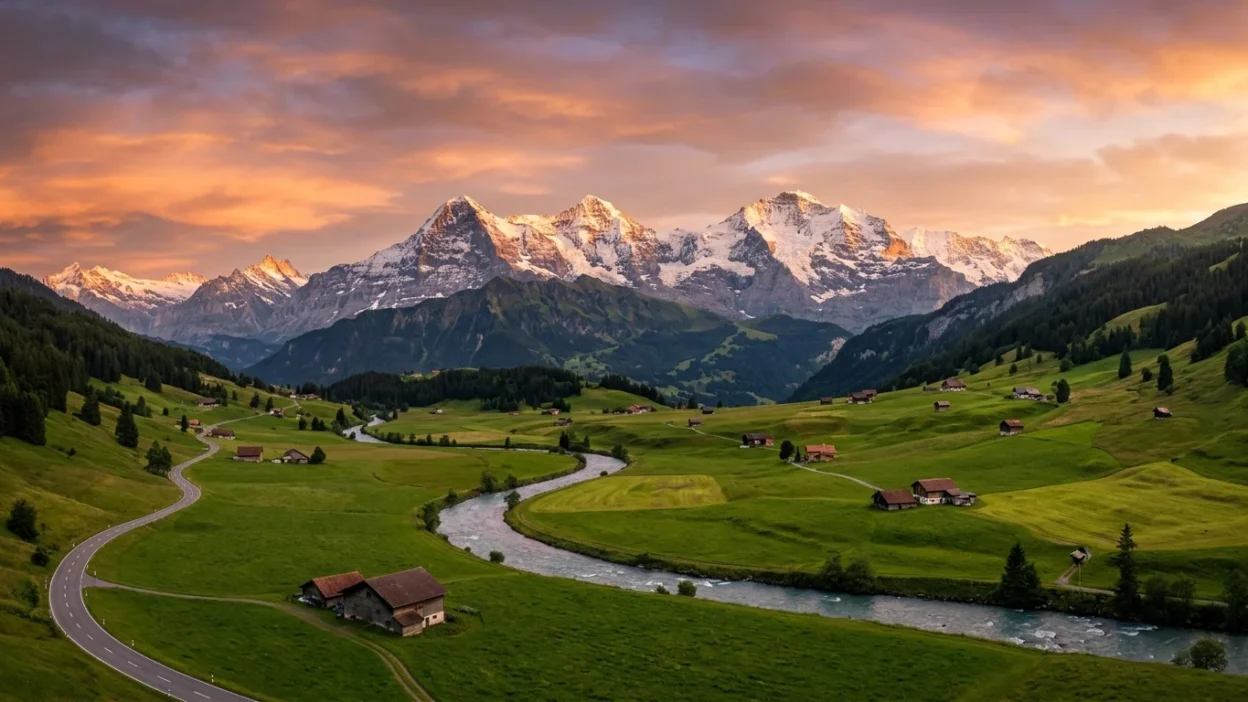
The word landscape comes from paintings that showed wide views of nature, such as:
- Mountains
- Rivers
- Forests
- Fields
These scenes were usually painted in a wide, horizontal shape.
Portrait
The word portrait comes from paintings or photographs of people.
Since a person’s body is generally taller than it is wide, artists often used a vertical shape.
Over time, these words became common ways to describe page, photo, and screen orientation.
What Is the Difference Between Landscape and Portrait?
The main difference is the direction of the image or page.
Landscape Orientation
Landscape orientation is horizontal.
The width is greater than the height.
Example:
——————–
| |
| |
——————–
This shape gives more space from left to right.
It works well when showing:
- Wide scenes
- Large groups of people
- Charts and graphs
- Movies and videos
Portrait Orientation
Portrait orientation is vertical.
The height is greater than the width.
Example:
——–
| |
| |
| |
| |
——–
This shape gives more space from top to bottom.
It works well when showing:
- A single person
- Full-body photos
- Mobile content
- Documents and letters
Landscape vs Portrait Comparison Table
| Feature | Landscape | Portrait |
| Shape | Wide | Tall |
| Direction | Horizontal | Vertical |
| Width | Greater than height | Smaller than height |
| Height | Smaller than width | Greater than width |
| Common Use | Videos, presentations, TV screens | Photos of people, documents, phone content |
| Easy Memory | Looks like a landscape view | Looks like a standing person |
| Best For | Wide subjects | Tall subjects |
| Screen Example | Most laptops and TVs | Most smartphones held upright |
Which One Should You Use and When?
Choosing the right orientation depends on what you want to show.
Use Landscape When:
- Taking photos of scenery
- Recording videos for TV or computers
- Showing a large group of people
- Creating slides and presentations
- Displaying charts and tables
Example:
A photo of a beach with the ocean and sky usually looks better in landscape because the scene is wide.
Use Portrait When:
- Taking selfies
- Photographing a person
- Creating mobile-friendly content
- Writing documents
- Sharing stories on social media
Example:
A full-body picture of a person often looks better in portrait because the subject is tall.
Common Mistakes People Make
1. Mixing Up Width and Height
Many people forget which dimension is larger.
Remember:
- Landscape = wider
- Portrait = taller
2. Using Portrait for Wide Scenes
A portrait photo may cut off important parts of a landscape scene.
For example:
- Mountains
- Beaches
- City skylines
These often need a wider view.
3. Using Landscape for Single-Person Photos
A landscape photo may leave too much empty space around one person.
Portrait usually gives a better fit.
4. Holding the Phone the Wrong Way
People often record videos vertically when the video is meant for a wide screen.
Before recording, think about where the video will be viewed.
5. Forgetting Device Differences
A photo that looks great on a phone may not look as good on a computer screen.
Always consider where the image will be displayed.
Everyday Real-Life Examples
Understanding landscape and portrait becomes easier when you see them in daily life.
Emails and Documents
Most letters and school assignments use portrait orientation.
Example:
A printed report is usually taller than it is wide.
News Articles
Many online news photos use landscape orientation because they fit nicely across a webpage.
Social Media
Portrait is very common for:
- Stories
- Reels
- Short videos
- Selfies
Landscape is often used for:
- Travel photos
- Group pictures
- Wide scenic shots
Television
Most TVs use landscape orientation.
Movies and television programs are usually designed for wide screens.
Smartphones
When you hold a phone normally, it is in portrait mode.
When you rotate it sideways, it becomes landscape mode.
Video Calls
Depending on the app and device, the camera may switch between portrait and landscape.
Learning Section for Students and Beginners
Here is a simple way to remember the difference forever.
Think of a Person
A standing person is usually taller than wide.
That is portrait.
Think of Nature
A view of mountains, fields, or the ocean is usually wider than tall.
That is landscape.
Quick Test
Which one is landscape?
A)
———–
| |
———–
B)
——
| |
| |
| |
——
Answer: A is landscape because it is wider.
Another Quick Test
Which one is portrait?
A)
——–
| |
| |
| |
——–
Answer: A is portrait because it is taller.
The more you practice identifying wide and tall shapes, the easier it becomes.
Frequently Asked Questions
1. What is landscape orientation?
Landscape orientation is a horizontal layout where the width is greater than the height.
2. What is portrait orientation?
Portrait orientation is a vertical layout where the height is greater than the width.
3. Why is it called portrait?
It is called portrait because artists often painted people in a tall, vertical format.
4. Why is it called landscape?
It is called landscape because artists often painted wide natural scenes in a horizontal format.
5. Is a phone normally portrait or landscape?
A phone is normally used in portrait mode when held upright.
6. Which orientation is better for videos?
It depends on where the video will be watched. Wide screens often work best with landscape, while mobile-focused content often uses portrait.
7. Which orientation is best for photos of people?
Portrait is usually best because a person’s body is taller than it is wide.
8. Can I switch between landscape and portrait?
Yes. Most phones, tablets, cameras, and computer programs allow you to change orientation easily.
Conclusion
The difference between landscape and portrait is very simple once you focus on the shape.
- Landscape is wider than it is tall.
- Portrait is taller than it is wide.
Landscape is often used for scenery, videos, presentations, and wide views. Portrait is commonly used for people, documents, selfies, and mobile content.
A simple memory trick is:
Landscape = wide like a view of nature.
Portrait = tall like a standing person.
When you remember this one rule, you can quickly choose the correct orientation for photos, videos, documents, and everyday digital content.

Gregory Alexander is a skilled writer and language researcher at WordHuts.com. He focuses on clarifying confusing word pairs, grammar rules, and common usage mistakes. With a passion for precise communication, Gregory creates simple, easy-to-understand content that helps readers strengthen vocabulary, writing accuracy, and everyday English skills.